Configuration - Remote USB Device Properties
There are several ways to open Remote USB Device Properties:
| • | Right-click on the remote USB device in USB Device List and select Properties. |
| • | Select remote USB device in USB Device List and and click  button. button. |
| • | Select remote USB device in USB Device List and and click Remote->Edit Device menu item. |
| • | Or simply double-click the device. |
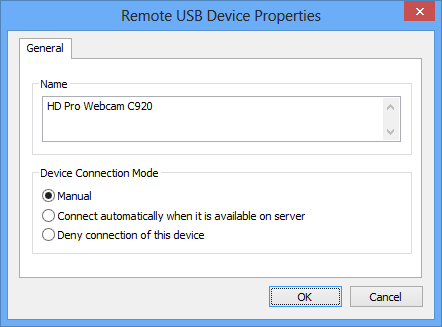
Name
This is the name of the device whose properties you're editing.
Device connection mode
Here you can select connection mode for this device. There are three different modes available:
| • | Manual - you may connect and disconnect this device manually with  and and  buttons. buttons. |
| • | Connect automatically when it is available on server - the device will be automatically connected when it is available (when it gets plugged into server or another client disconnects). |
| • | Deny connection of this device - you won't be able to connect this device whether manually or when Automatic Connection Mode is enabled in Server Properties of the current server. |